Kubernetes dashboard provides a graphical user interface which can be used to view all the kubernetes constructs in our cluster. We will be using MiniKube for this blog post which enables us to run a Kubernetes cluster on a single machine. To check if dashboard is enabled execute the below command.
 minikube addons list

- addon-manager: enabled
- dashboard: enabled
- default-storageclass: enabled
- efk: disabled
- freshpod: disabled
- gvisor: disabled
- heapster: enabled
- ingress: enabled
- metrics-server: disabled
- nvidia-driver-installer: disabled
- nvidia-gpu-device-plugin: disabled
- registry: disabled
- registry-creds: disabled
- storage-provisioner: enabled
From the above command we can see that dashboard is already enabled.
To open dashboard in your default browser use the below command.
minikube dashboard
Node details: From the left navigation pane click on cluster/nodes. This will open the node view to view all our nodes in the cluster. A Kubernetes cluster consists of 1 Master node and 2 or more worker nodes. However in our case as we are running our Kubernetes cluster using minikube, we see just one virtual machine “minikube”

In case you want to login into the minikube machine you can execute the below command for the same
minikube sshPod Details: On selecting workloads/pods from the left navigation pane you will see all the pods running in the current namespace.

Click on any of the above pod to see more details about the pods. From the right navigation bar we can execute any command inside our pod provided we have bash installed in the pod.

We can also check the pod logs which will be helpful in case we want to debug any issues with our services inside the pod.

If you refer to my old blog posts you will see that we are creating pods via deployment. However in case you want to see the pod configuration or want to edit it you can click on the edit button and save your changes.
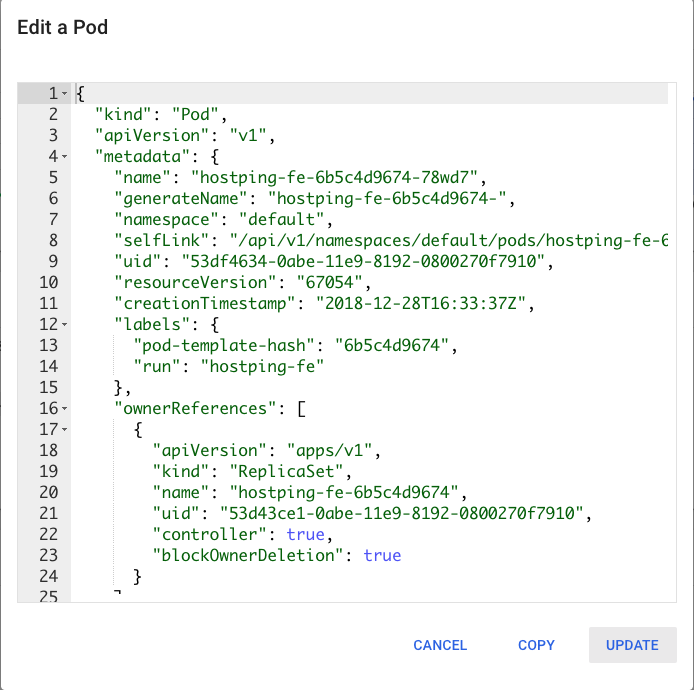
Similarly we can use minikube dashboard to view all the artefacts in Kubernetes.
 Pulkit Gupta